




Quick Answer: For How to integrate AI writing tools with your CMS and collaboration stack (WordPress, Confluence, Slack) , a 3-part workflow is the…
Last updated: October 10, 2026
Key Takeaways
- AI can link drafting, review, and notifications into one workflow.
- WordPress is the publish point, Confluence the workspace, and Slack the alert layer.
- A three-step setup with one AI tool, one CMS action, and one chat trigger is usually enough.
- Keep each field in one place to reduce version confusion.
Quick Answer: For How to integrate AI writing tools with your CMS and collaboration stack (WordPress, Confluence, Slack), a 3-part workflow is the practical starting point: Confluence for the brief, WordPress for the article, and Slack for 1-line alerts.
If you want AI writing tools to save time instead of creating chaos, connect them to one place where drafts live, one place where approvals happen, and one place where decisions get captured. For most teams, that means WordPress for publishing, Confluence for source material and review, and Slack for fast feedback. In 2024, WordPress powers about 43% of all websites, so it often makes sense as the publishing endpoint.
What an AI-connected content stack should do
A good AI-connected stack turns three messy habits into one clean path: draft in the CMS, review in the knowledge base, and notify in chat. That sounds simple because it should be. The hard part is deciding what each tool owns.
WordPress should own the public draft and final publish state. Confluence should own the internal notes, source docs, outlines, and review comments that need more than a Slack thread. Slack should own alerts, approvals, and the short decisions that would otherwise get buried. AI writing tools sit in the middle as accelerators, not as the system of record.
That split matters because most integration failures come from trying to make one tool do all three jobs. A writing assistant inside WordPress can help create a first draft, but it should not be the only place the article exists. A Slack bot can summarize comments, but it should not decide the tone of a brand article. Confluence can store a content brief, but it is a poor place to publish a polished article for readers.
I would build this stack only if the team publishes regularly, has at least two people involved in review, and can tolerate a little setup work. It is a bad fit for a solo blogger who only needs a cleaner drafting app. It is also a poor fit for teams that refuse to name owners for draft, review, and publish. Without that role clarity, automation just moves confusion faster.
The question is not “Can AI write into every system?” The useful question is “Which system should own each stage, and what should move between them?”
How do WordPress, Confluence, and Slack fit together?
They fit together best as a pipeline, not a triangle of equal connections. WordPress should be the endpoint, Confluence the workspace, and Slack the notification layer.
Here is the practical division:
- WordPress: final article draft, SEO fields, featured image notes, status changes, scheduled publish time
- Confluence: brief, research notes, content outline, editorial checklist, revision history for internal reference
- Slack: “ready for review,” “approval needed,” “publish delayed,” and other short-status messages
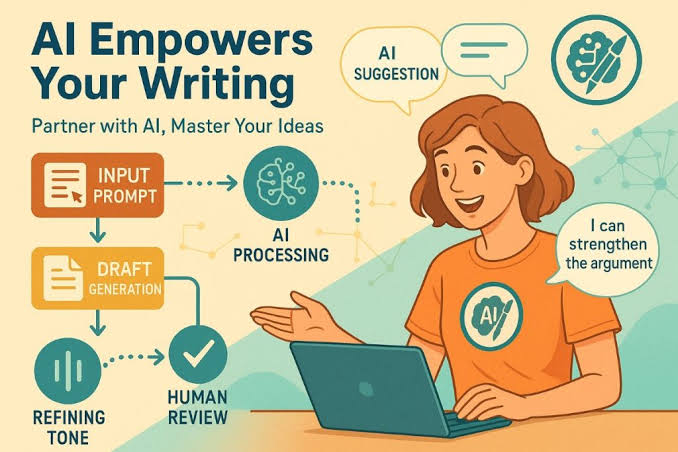
This structure avoids the most common mess: long editorial comments in Slack, half-baked notes in WordPress, and final copy trapped inside Confluence pages no one revisits. It also gives AI a safer role. AI can summarize a Confluence brief into a WordPress outline, or turn a Slack approval into a status update, without becoming the source of truth.
For AI writing tools, the most useful integrations are usually not “write full article for me” buttons. They are smaller tasks: generate an outline from a Confluence page, expand speaker notes into a draft, rewrite for house style, summarize reviewer comments, or draft the Slack update that asks for signoff. Those tasks are easier to verify and easier to undo.
A clean setup also reduces version drift. One editorial decision should live in one place. If the title changes in Slack, move it back into WordPress or Confluence immediately. If not, people will quote the wrong version in the next review cycle.
Therefore, the best sign that the stack is working is usually boring behavior: nobody asks, “Where is the latest draft?” If that question still comes up twice a week, the integration is not finished.
The setup I would use for a small editorial team
I would set up a three-step workflow with one AI tool, one CMS action, and one chat trigger. That is enough for a team of 3 to 10 people and usually takes less than a day to map, even if the actual wiring takes longer.
1) Define the handoff points before you connect anything
Pick the exact moment each tool takes over. For example: Confluence owns the brief until it is approved; AI produces the first draft; WordPress owns editing and publishing; Slack only announces state changes. This prevents the familiar “everything goes everywhere” problem. If your content touches legal, medical, or financial topics, check the workflow with the right professional before launch, because a bad handoff can create compliance risk. See the U.S. government’s plain-language guidance on content governance at the U.S. Digital.gov content design guidance.
2) Put a structured brief in Confluence
Use a repeatable page template with fields for audience, search intent, working title, claims to verify, links to cite, and approval owner. A structured page beats a freeform note because AI models handle labeled input much better than a wall of text. For a practical template format, see Atlassian’s Confluence templates documentation.
3) Connect the AI writing tool to the brief
Use your AI tool to read the Confluence brief and generate a draft outline, intro options, and section bullets. Keep this step limited to one document version. If the tool is allowed to rewrite five versions at once, review gets messy fast.
4) Send the draft into WordPress
Move the draft into WordPress as a post in “Draft” or “Pending Review” status. Map the title, slug, excerpt, body, and metadata fields separately if your tool supports it. If it does not, paste cleanly and format inside the editor. The result should be one draft in one CMS record, not a chain of copied text. WordPress’s own editor documentation explains the draft/publish workflow in detail at WordPress.org Support.
5) Trigger Slack notifications at meaningful milestones
Send one Slack message when the draft is ready, one when edits are requested, and one when it is approved. Avoid alerts for every keystroke. A 20-message thread looks active but usually means nobody knows what matters.
6) Store final decisions back in Confluence
When the article is approved, add the final title, publish date, and key edits to the Confluence page. That gives you a reference point for future articles and stops the team from re-litigating the same decision next month.
The payoff is simple: each tool does one job well, and the AI tool speeds up writing without becoming a hidden fourth system of record.
How to connect the tools without creating version chaos
You avoid version chaos by choosing one direction for each kind of data and never letting the same field live in two places for long. The easiest rule is: Confluence feeds WordPress, and Slack reports on both.
Here are the most useful sync patterns:
- One-way content flow: Confluence brief → AI draft → WordPress article
- One-way alerts: WordPress status change → Slack message
- One-way summaries: Slack discussion → Confluence decision note
- Human-only fields: final approval, legal review, publish date
That last line matters. Some fields should never be auto-filled by AI. Final approval, legal constraints, and publish timing need an accountable person. If a tool is capable of suggesting them, that is fine. If it is capable of changing them without review, that is a problem.
I would also avoid bi-directional sync on full article text unless the team has a very mature workflow. Two-way sync sounds elegant and often fails in practice because one edit lands in the CMS while another lands in the knowledge base, and no one can tell which one wins. A single source of truth is less glamorous and far easier to live with.
If your stack supports webhooks, use them for state changes rather than content duplication. A webhook that says “draft approved” is useful. A webhook that tries to mirror every paragraph between apps is asking for conflicts. For event-driven automation patterns, Zapier’s webhook guide is a useful reference.
A final trap: do not let Slack become the draft archive. Slack is good at decision speed, not document memory. A 48-hour-old thread is already hard to scan. Keep the enduring record in Confluence or WordPress, then let Slack point people there.
Which AI writing tasks are worth automating first?
The first tasks worth automating are outlining, summarizing, rewriting, and status messaging. Those four save real time and carry less risk than full-draft generation.
I would rank them like this:
-
Outline from brief
Input: a Confluence page with audience, goal, and main points.
Output: a section outline for WordPress.
Why it helps: it turns scattered notes into a workable structure. -
Summary of comments
Input: a long Slack review thread or a series of Confluence remarks.
Output: a short list of required edits.
Why it helps: it cuts the time spent rereading the same thread 12 times. -
Tone rewrite
Input: a draft paragraph that is too stiff, too salesy, or too thin.
Output: a cleaner version that matches house style.
Why it helps: it handles micro-edits faster than a human can. -
Slack status messages
Input: publish state, reviewer name, due date.
Output: a short update like “Draft ready for legal review.”
Why it helps: it saves a human from typing the same message ten times a week.
Full article generation is the least attractive first use case. It can help with a blank page, but it also creates the most cleanup. The article may sound fluent and still be wrong in structure, audience fit, or factual framing. I would use full generation only for first-pass drafting on low-risk internal content, never as a final step for a public article that matters.
If a team wants a fast win, automate the first 20% of the draft and the last 10% of the process. That is where the repetition lives, and that is where teams usually save the most time.
What usually breaks, and what it costs
The usual failures are bad permissions, bad prompts, and bad ownership. Each one creates a different kind of mess.
- Bad permissions cost time and trust. If the AI tool can post to WordPress but the editor cannot see the brief in Confluence, people start chasing screenshots. Fix it by setting role-based access before launch and limiting write access to the smallest necessary group.
- Bad prompts cost quality. A vague prompt like “make this better” gives inconsistent output. Fix it with a template that includes audience, tone, length, forbidden claims, and source notes.
- Bad ownership costs deadlines. If no one owns the article, everyone assumes someone else is handling it. Fix it by naming one editor, one approver, and one publish owner for every article.
- Too much automation costs clarity. When every state change fires a Slack ping, people mute the channel. Fix it by alerting only on transitions that require action.
- No audit trail costs confidence. If edits happen in three places and none are logged, nobody knows why the final draft changed. Fix it by storing the reason for each major edit in Confluence.
The hidden cost is not technical. It is editorial fatigue. A messy integration makes people stop trusting the tools, and once that happens, they go back to copy-paste and private DMs. That is the real failure mode.
A simple governance model that keeps the stack usable
A simple governance model keeps the stack usable by making AI help with text and humans own decisions. For a team of any size, I would use four rules.
First, every article gets a named owner before drafting starts. That person is responsible for moving the article through Confluence, WordPress, and Slack.
Second, every AI-generated draft gets a visible review step. No article should move from brief to publish without a human reading it line by line.
Third, every public claim must be checked against a source note or subject matter review. If the article makes a technical, legal, or financial claim, the review standard needs to be stricter. That is not a place for fuzzy approval.
Fourth, every recurring prompt gets stored as a template. A prompt template for “intro from brief” or “Slack approval summary” keeps output consistent across 20 or 200 articles.
This model is intentionally dull. It is also what keeps a workflow from collapsing after the first enthusiastic month. The aim is not to make AI write everything. The aim is to make the path from idea to publish shorter, cleaner, and easier to audit.
The teams that benefit most are the ones already drowning in repeatable editorial work. The teams that benefit least are the ones hoping AI will replace a missing process. It will not. It will only expose the missing process faster.
FAQ
Can I use AI writing tools directly inside WordPress?
Yes, if your goal is faster drafting and light rewriting inside the CMS. I would still keep the source brief in Confluence or another documented place so the article does not become the only record of decisions.
Should Slack be the place where final approvals happen?
No, Slack should be the place where approval is announced, not where the final decision lives. The decision should be stored in Confluence or the CMS so there is a durable record.
Is bi-directional sync between Confluence and WordPress worth it?
Usually no. It is useful only when both systems have a clearly defined field map and a team that can manage conflicts. For most editorial teams, one-way flow is safer.
What is a good first automation to build?
A draft-ready Slack notification or a summary of Confluence notes is usually the safest start. Both save time without changing the actual content record.
Who should not set up this kind of workflow?
A solo writer with a simple publishing routine, or a team with no agreed approval process, should skip the full stack and keep the workflow simpler. The tooling will not fix the structure problem.
Drafted with AI; not yet reviewed by a person.