





Quick Answer: for the topic AI writing tools for business: 10-point security and compliance checklist before procurement , I would check 10 things before…
Last updated: October 10, 2026
Quick Answer: for the topic AI writing tools for business: 10-point security and compliance checklist before procurement, I would check 10 things before a business buys an AI writing tool: where data goes, who can see it, whether the vendor trains on your prompts, how access is controlled, what audit logs exist, what certifications back the product, how deletion works, whether legal holds are supported, what contract terms limit risk, and how the tool behaves with regulated content. Miss any one of those and you may create a privacy, security, or compliance problem faster than you gain drafting speed.
What I mean by “AI writing tool” in a business setting
An AI writing tool is risky or safe based on how it handles text, not on how polished its output looks. A chatbot that drafts sales emails, policy updates, HR letters, proposals, or customer replies can expose personal data, customer terms, financial details, and confidential strategy in a single prompt.
Because of that, procurement for these tools should look more like buying SaaS with data-processing implications than buying a content app. The right question is not “Can it write well?” It is “Can it fit inside my company’s identity, retention, legal, and vendor-risk controls for the next 12 months?” For procurement decisions, a privacy or legal professional should review the fit; that is the kind of question covered in vendor-risk guidance from NIST and the UK ICO. NIST AI RMF, ICO guide to AI and data protection.
I would treat the tool as business infrastructure if any of these are true:
- employees will paste customer, employee, or contract text into it
- the tool will be connected to internal files, drives, or CRM data
- the output may become customer-facing or regulated communication
- multiple teams will use it under shared admin control
If the answer is yes, then this is not a styling purchase. It is a security review with a writing interface.
What should I check first before I buy an AI writing tool?

Start with data flow, model use, and access control, because those three items decide most of the risk in the first 30 minutes of use. If the vendor cannot explain them plainly, I would not move to pricing or pilot plans yet.
Here is the order I would use, and for a formal review you may want security, legal, and procurement to confirm it.
- Map the data path. Ask where prompts, uploads, generated text, and metadata are stored, for how long, and in which region. A vendor that stores content in multiple regions without clear controls can complicate GDPR reviews and cross-border transfer assessments.
- Check whether prompts train the model. A common business default is no training on customer content unless the buyer opts in. If the vendor uses prompts or outputs to improve its models, I would ask for a hard contract commitment and an admin toggle, not a marketing claim.
- Confirm tenant separation. A true enterprise setup should separate your workspace from other customers at the application and storage layer. Shared spaces with vague promises are fine for a hobby account; they are a weak fit for business text that includes confidential material.
- Review identity controls. SSO, SAML, SCIM, and multi-factor authentication should be on the checklist. If the tool cannot connect to your identity provider, you lose centralized offboarding and role control. That is a practical problem the first time a contractor leaves.
- Inspect admin permissions. You want role-based access control, not a single global admin who can see everything. The output should make it easy to separate legal, marketing, HR, and sales teams by workspace or permission set.
- Ask about logging. Audit logs should show who accessed what, when, and from which action. If the product cannot export logs in a standard format, incident response and compliance review become much harder.
- Test retention and deletion. Ask how long data stays after deletion and whether backups are covered. A “delete” button that leaves text in backup systems for 90 days may be acceptable in some cases, but only if your policy allows it.
- Review third-party subprocessors. A writing tool may rely on cloud hosting, analytics, support tools, and model providers. Each one expands your vendor chain. I would want a current subprocessor list before approval, not after rollout.
- Check content filters and safety controls. You need to know how the system handles prohibited content, prompts with personal data, and output that could be discriminatory, defamatory, or misleading. This is especially relevant for HR, finance, and customer support teams.
- Read the contract for liability gaps. The paper matters. Look for data-processing terms, confidentiality, breach notice timing, indemnity scope, ownership of outputs, and any clause that gives the vendor broad rights over your content.
This is the stage where many teams get misled by a nice interface. A clean homepage says nothing about retention, subprocessor sprawl, or whether prompt data can be used for model improvement.
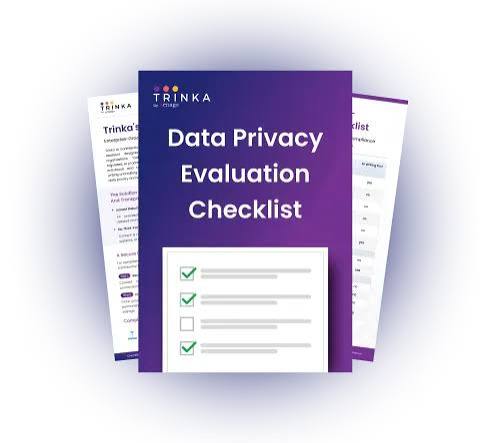
The 10-point security and compliance checklist I would use
The checklist is simple: if the vendor cannot answer each item in writing, I would treat the tool as not ready for procurement. A polished demo is not evidence. A current security packet, DPA, and admin guide are.
1) Data ownership and content rights
You need a clear statement that your business keeps ownership of prompts, uploads, and outputs to the extent the law allows. If the vendor claims broad rights to reuse customer content, that is a red flag.
I would also check whether outputs can be copyrighted or claimed by the vendor. Some contracts quietly blur ownership of generated text, which can matter for marketing copy, training materials, and customer deliverables.
2) No training on your business data by default
The default should be opt-out at minimum, and preferably no training unless a specific admin enables it. For most businesses, customer data should not become model fuel.
Ask for a plain statement on whether content is used for model training, fine-tuning, human review, or product analytics. If the answer changes across plans, that difference should be written into the procurement record.
3) Identity, access, and admin control
A business-grade tool should support SSO through SAML or a comparable standard, plus MFA and role-based access. SCIM is useful when you need automated joiner-mover-leaver workflows.
I would not approve a tool where access depends on personal email logins alone. That creates orphan accounts, weak offboarding, and poor visibility when people change roles.
4) Audit logs and exportable records
You want logs that show access, edits, sharing, admin changes, and deletion events. If the product can export logs to your SIEM or at least CSV, that is a practical win.
This matters because many compliance programs are not built on hope. They depend on being able to answer who accessed what, and when, in a format that can survive a review or investigation.
5) Retention, deletion, and backup handling
Deletion means more than clicking remove. I would ask how long data persists in active systems, backups, caches, and support systems, and whether you can set retention periods at the workspace level.
If the vendor cannot explain deletion in under 2 minutes, the process is probably too vague. That can become a problem during legal disputes or internal investigations.
6) Encryption and security architecture
At minimum, data should be encrypted in transit with TLS 1.2 or later and at rest with modern encryption controls. I would also want an explanation of key management, especially for enterprise tiers.
The key question is not whether encryption exists somewhere in the stack. It is whether the vendor can explain where it applies, who controls keys, and how access is segmented.
7) Third-party risk and subprocessors
Ask for the subprocessor list and the vendor’s change-notification process. A tool that quietly adds new vendors after purchase can undermine your assessment.
If your business has procurement reviews around cloud hosting or analytics vendors, this is where many AI writing tools create hidden work. The chain can be longer than the product page suggests.
8) Compliance evidence, not promises
I would look for current, checkable evidence such as SOC 2 Type II, ISO/IEC 27001, or similar attestations where relevant. Those certifications do not make a product safe by themselves, but they give you something more concrete than “we take security seriously.”
If the vendor works with regulated sectors, ask whether it supports GDPR-related processes, DPAs, and, where applicable, sector-specific controls. A marketing claim is not enough for procurement.
9) Output controls for regulated and high-risk use
The tool should let you set guardrails for sensitive teams. For example, HR should not be able to draft disciplinary letters from a public template library, and finance should not be able to paste nonpublic figures into an unsecured workspace.
I would also ask how the system flags hallucinated facts, defamatory language, or protected-class issues. No tool will catch everything, but the vendor should show some guardrails beyond a generic content filter.
10) Incident response, support, and contract terms
You need breach notification timing, support escalation paths, and a named contact for security issues. If the contract gives the vendor long windows before notice or broad disclaimer language, that weakens your position after an incident.
I would also check indemnity, limitation of liability, termination assistance, and data return. Those clauses matter most when a rollout fails or a vendor relationship ends.
Where businesses usually get this wrong

The biggest mistake is buying a writing tool as if it were only a productivity add-on. That mistake can cost days of remediation work, a failed security review, or a procurement cycle that has to restart at legal.
A second mistake is treating “enterprise” as a synonym for “safe.” Some enterprise plans add billing controls and shared folders, but not much else. I would want to see the actual control set: SSO, audit logs, retention settings, and contract terms.
A third mistake is letting marketing teams pilot the tool before IT or legal sees it. That can create shadow use with customer data, then the review team has to clean up after habits are already in place. A 2-week pilot is enough to assess fit without letting the tool sprawl across the company.
A fourth mistake is ignoring the output risk. If the tool drafts customer messages, job ads, policy language, or internal memos, a bad answer can create legal or reputational damage even when the security stack is fine. That is why I would classify use cases by sensitivity before procurement, not after.
If I had to pick the most expensive error, it would be failing to define which data can never be entered. Once people know a tool “works,” they will paste whatever is in front of them. The policy has to be written before the shortcut becomes normal.
How do I run a procurement review without slowing the business down?
Use a 5-day review path for low-risk pilots and a 15-day review path for tools that touch customer, employee, or contract text. That keeps the process moving without pretending the risk is trivial.
For a low-risk use case, I would ask for the security questionnaire, DPA, subprocessor list, and admin guide on day one. By day three, someone from IT or security should confirm access controls and logging. By day five, legal can review terms that affect data use, liability, and deletion.
For a higher-risk rollout, I would add a short internal checklist:
- classify the use case as public, internal, confidential, or regulated
- define which content types are banned from prompts
- confirm the vendor’s identity and access controls
- validate retention and deletion terms
- document who approves exceptions
- set a review date 90 days after launch
That cadence matters because AI tools tend to spread by habit. If you wait six months to review a tool that is already embedded in sales, HR, or customer support, the review becomes a migration problem instead of a procurement one.
I would also keep one person accountable for the final signoff. Shared responsibility sounds fair until nobody owns the risk. One owner can move the process from “interesting idea” to “approved with conditions” much faster.
Which AI writing tools are not a good fit for procurement?
A tool is not a good fit if your team cannot answer basic questions about data use, access, and retention in the first review cycle. That usually means consumer-grade products, freemium plans, or vendor packages that hide enterprise controls behind sales calls.
I would also skip tools for these situations:
- Highly regulated content without strong controls. If you need strict handling for financial, legal, or HR text and the vendor has no role controls or logging, the risk is too high.
- Cross-border data constraints. If your business has strict data residency requirements and the vendor cannot commit to them, move on.
- Large-scale confidential drafting. If dozens of staff will use the tool daily, weak admin controls become a scaling problem fast.
- No contract path for enterprise terms. If the vendor will not sign a DPA or negotiate data-use terms, the tool is a pilot, not a procurement candidate.
This is the hard truth: some products are fine for a lone marketer writing a blog draft and wrong for a company with customer files, employee records, and legal review gates. The use case decides the fit.
Key Takeaways
- Treat an AI writing tool like a data-handling vendor, not just software for faster copy.
- The first questions are about data flow, training use, identity controls, and deletion.
- A vendor’s enterprise label means little unless it includes SSO, logs, retention settings, and contract protections.
- High-risk teams such as HR, finance, and customer services need tighter guardrails than marketing drafts.
- If the vendor cannot answer the 10 checklist items in writing, I would not approve procurement yet.
FAQ
Can I let employees use an AI writing tool before legal signs off?
I would not allow general use before legal or procurement reviews the data terms, because early usage often includes confidential text and creates cleanup work later.
Is SOC 2 enough to approve an AI writing tool?
No. SOC 2 is useful evidence, but I would still check training defaults, retention, access control, subprocessors, and contract language.
What is the fastest way to lower risk?
Limit the tool to low-sensitivity drafting first, block banned data types in policy, and require SSO plus audit logs before broad deployment.
Drafted with AI; not yet reviewed by a person.